Title tags and meta descriptions that earn clicks in Google
· Content · 6 min
Your title and description in the search results decide whether people click on you or a competitor. Learn how to write them, how long they should be and which mistakes to avoid.
The title tag and meta description are the first things a potential customer sees of your website in Google. Before anyone has seen your homepage, photos or prices, they have read these two lines and decided whether to click on you or on a competitor. Yet these are exactly the fields many small businesses leave on default values such as "Home" or just the company name.
The good news is that this is one of the easiest and most rewarding things you can improve yourself. You do not need a developer, just some understanding of how the fields work and a plan for which pages to start with.
Title tag vs meta description
The title tag is the clickable blue headline in the search result. It also appears in the browser tab and is often used when the page is shared on social media. The title is one of the most important signals Google uses to understand what a page is about, and it affects both rankings and whether people click.
The meta description is the short text beneath the title. It is not a ranking factor in itself, as Google has stated clearly. But it influences how many people choose to click, and more clicks from the right people is the whole point. Think of the description as a small ad you get for free.
Keep in mind that Google does not always use what you write. Google can rewrite both the title and the description when it thinks something else on the page better matches the search. This happens more often when a title is too long, stuffed with keywords, duplicated across pages or does not match the content. The more precise and honest your text is, the more likely it is to be shown as written.
Length: how much space do you have?
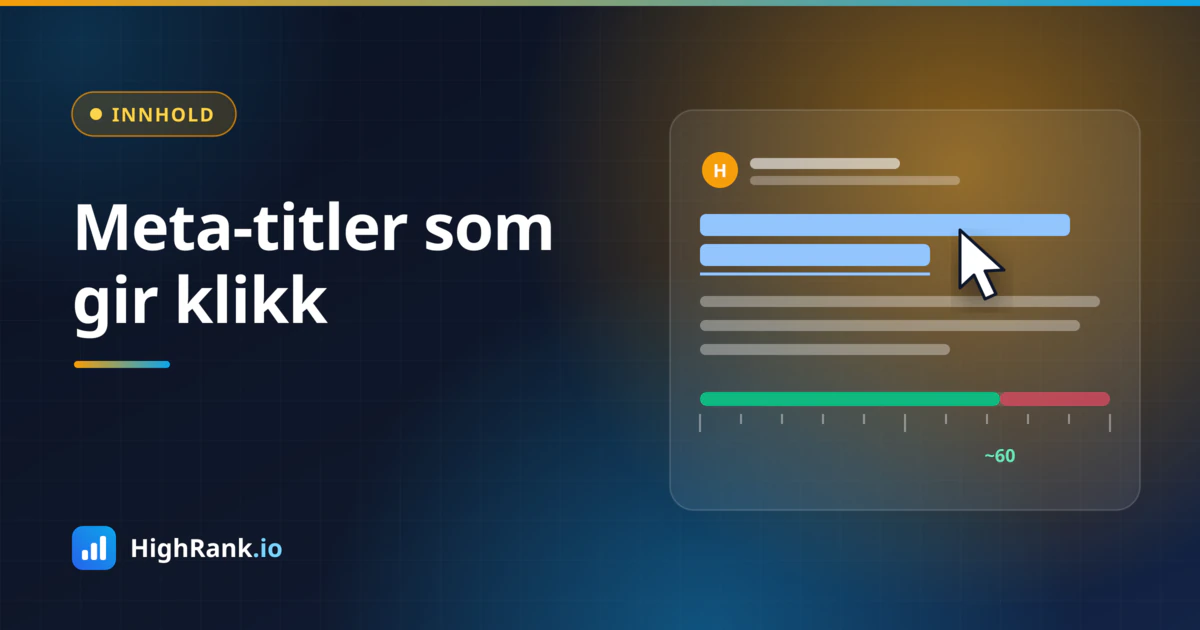
Google does not limit titles to a fixed number of characters. It measures width in pixels. In practice, titles are often truncated somewhere around 50 to 60 characters on desktop, depending on the letters you use. Wide letters like M and W take more space than narrow ones like i and l. Meta descriptions are usually cut at around 150 to 160 characters, and often shorter on mobile.
That does not mean everything past the limit is wasted, but the most important words need to come first. A few simple guidelines:
- Put the main keyword or service early in the title.
- Keep titles around 50 to 60 characters so they are likely to show in full.
- Keep descriptions around 120 to 155 characters, with the key message in the first half.
- Put your brand name at the end of the title, unless the name is what people search for.
A simple formula for titles that get clicks
You do not have to reinvent the wheel for every page. A good title usually answers three questions: what is this, for whom or where, and why should I pick you? A simple template is "Service + location or audience + benefit | Brand".
Here are some examples for fictional businesses, meant as inspiration:
- "Emergency Plumber in Leeds – 24/7 Callouts, Fixed Prices | Example Plumbing"
- "Bookkeeping for Freelancers and Sole Traders | Example Accounting"
- "Family Dentist in Camden – Appointments This Week | Example Dental"
- "EV Tyres Fitted and Stored for the Season | Example Auto"
Notice how concrete these are. They include what the customer is searching for, a place or an audience, and a reason to click. Avoid empty superlatives like "best" and "leading" unless you can actually back them up on the page. People have seen them countless times, and they do not make you stand out.
Meta descriptions that sell without shouting
The description should briefly explain why this page is the right choice. Write it for people, not for search engines. Google often highlights words in the description that match the query, so it helps to include the service naturally, but do not stuff it with keywords.
A good meta description typically includes:
- What the page offers, in plain language.
- One concrete, truthful advantage, such as fixed pricing, fast delivery, local presence or long experience.
- A clear call to action, such as "Book an appointment", "Get a quote" or "See prices".
An example for a fictional electrician: "Certified electricians serving the whole city. From fuse boards to EV chargers, with a fixed price agreed before we start. Book a free site visit today." It tells you what, where, why and what to do next, while staying within a reasonable length.
Every page should have its own description. If you have many similar pages, such as product pages in an online shop, use a template that fills in the product name, category and a short benefit automatically. That is far better than letting all pages share the same text.
Common mistakes to avoid
Most problems with titles and descriptions are not caused by poor writing, but by fields that are forgotten or duplicated. Check your site for these:
- The same title on many pages, typically just the brand name or "Home".
- Missing meta descriptions, leaving Google to pull random text from the page.
- Keyword-stuffed titles such as "Plumber Leeds, Plumber Bradford, Plumber York, Cheap Plumber".
- Titles that promise something the page does not deliver, which earns clicks but also quick returns to the results.
- Outdated text with old prices, expired offers or last year's date.
- Technical glitches where the CMS adds the brand name twice or cuts the title short.
The promise in your title and description has to match what visitors find on the page. If someone clicks because of "fixed price" and cannot find a price, they will go straight back and choose someone else.
How to check and follow up
Start by seeing how your pages actually appear. Search for "site:yourdomain.com" in Google to get a quick overview of titles and descriptions as Google displays them. You will quickly spot pages with duplicated or rewritten titles.
Google Search Console is the key tool for follow-up. In the Performance report you can see impressions, clicks and click-through rate for each page and query. Pages with many impressions but a low click-through rate are good candidates for a new title and description. Change one page at a time, note the date and compare results after a few weeks. Remember that position also affects click-through rate, so compare periods where the ranking is roughly the same.
In WordPress and most other content management systems you can edit titles and descriptions per page, often through an SEO plugin. Many of them include a preview showing roughly how the result will look in Google.
Summary
Title tags and meta descriptions are small fields with a big impact. Write unique, specific titles with the service near the start, keep the length within what gets displayed, write descriptions that give a clear reason to click, and track the effect in Search Console. Start with your homepage and most important service pages, and you will have done much of the work.
Curious how your website is doing right now? HighRank.io checks, among other things, whether your pages have solid titles and descriptions, how visible you are in Google and whether AI assistants mention your business, so you know where to start.