Structured data for small businesses: A step-by-step guide to schema.org
· Technical SEO · 6 min
Structured data helps Google and AI services understand who you are and what you offer. Here is a practical, step-by-step guide to schema.org and JSON-LD for small businesses.
Structured data sounds technical, and to be fair, it is a little. But the idea is simple: you add a small block of code to a page that tells search engines and AI services, in a fixed format, what the page is about. Instead of leaving Google to work out that "12 High Street, Springfield" is probably an address, you say so explicitly.
For small businesses this is one of the most cost-effective technical improvements available. It does not require a big budget, it is mostly a one-time job, and it makes it easier for machines to understand who you are, where you are and what you offer. This guide walks through what you need, step by step.
What structured data is, and what it is not
Structured data is information marked up according to a shared vocabulary called schema.org. The vocabulary was created jointly by the major search engines and includes types such as Organization, LocalBusiness, Product, Article and many more. Each type has properties, for example name, address, telephone and openingHours.
Google recommends the JSON-LD format. It is a block of data placed in a script element in the page's HTML, separate from the visible content. The advantage is that you do not need to change the design or the text on the page.
It is important to keep expectations realistic:
- Structured data is not a direct ranking factor. It helps search engines understand content, but it will not turn a weak page into a strong one.
- Correct markup can make a page eligible for enhanced search results, such as product prices, stock status or breadcrumbs. Google decides whether to show them.
- Some rich result types have been retired or heavily restricted. FAQ rich results are now shown mainly for authoritative government and health websites, so do not add FAQ markup just to take up more space in search results.
- The markup must match what is actually on the page. Marking up content users cannot see can, in the worst case, lead to a manual action from Google.
Step 1: Map out the types you need
Start by looking at your website and asking what each important page represents. For most small businesses the list is short:
- Homepage or contact page: LocalBusiness (or a more specific subtype) for businesses with a physical address or a clear service area, or Organization for businesses without a local presence.
- Product pages in an online store: Product with price, currency and availability in an Offer.
- Blog posts and articles: Article or BlogPosting with headline, date and author.
- Any page within a hierarchy: BreadcrumbList, which shows where the page sits in your site structure.
Choose the most specific type you can. Schema.org has subtypes of LocalBusiness such as Dentist, Plumber, AccountingService, HairSalon and Restaurant. A plumber should use Plumber rather than just LocalBusiness, because it sends a clearer signal.
Step 2: Create the markup for your business
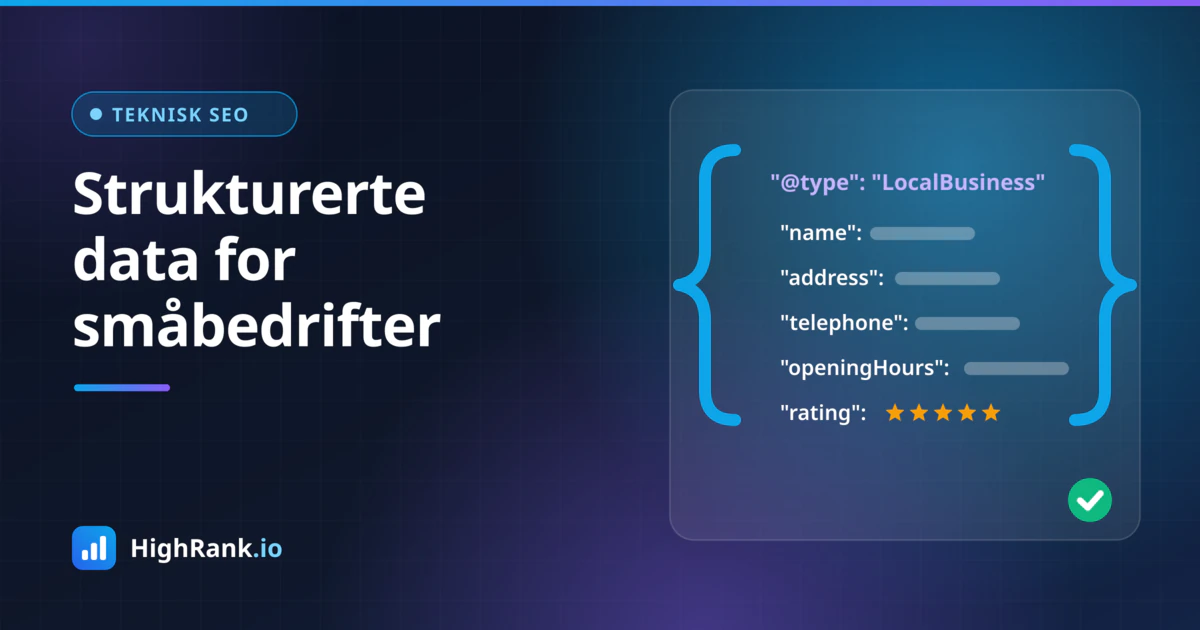
The single most important block for a local business is LocalBusiness. It belongs on the homepage or contact page and should contain the same details that appear on the page and in your Google Business Profile.
These properties are a good starting point:
- "@type": the most precise type, for example "Plumber" or "Dentist"
- name: your business name exactly as it appears on signage and in your Google Business Profile
- address: a PostalAddress with streetAddress, postalCode, addressLocality and addressCountry
- telephone: your phone number in international format, including the country code
- url: the address of your homepage
- logo and image: full URLs to your logo and a representative photo
- openingHoursSpecification: opening hours per day of the week
- geo: latitude and longitude, which make your location unambiguous
- areaServed: the towns or regions you cover, useful if you travel to customers
- sameAs: links to official profiles such as Facebook, LinkedIn and your listing in the official business register
If customers never visit your premises, for example a consultancy that works entirely online, Organization is often the better choice. In that case include name, url, logo, contactPoint and sameAs, and optionally legalName and your company registration or VAT number using the identifier or vatID properties.
Check that your name, address and phone number are written exactly the same way as in your Google Business Profile and in directories. Consistency is one of the most important parts of local visibility, and structured data is one of the places where small discrepancies easily creep in.
Step 3: Add markup for products, articles and FAQs
Once the foundation is in place, extend it with types for your most important pages.
For online stores, Product is the most valuable type. Include name, image, description, sku or gtin where available, brand and an Offer with price, priceCurrency and availability. If you display genuine customer reviews on the page, you can use aggregateRating and review, but only for reviews that are actually shown on that product page. Most e-commerce platforms, such as Shopify and WooCommerce, add basic product markup automatically, so check what already exists before adding anything to avoid duplicate blocks.
For blog posts and articles, use Article or BlogPosting with headline, datePublished, dateModified, image and author. Name a real author and ideally link to an author page. It makes it clearer who stands behind the content.
FAQPage can still be used when a page genuinely contains questions and answers, because the markup makes the content easier for machines to interpret. But as mentioned, FAQ rich results no longer appear in Google for ordinary business websites, so this is not where to spend much time.
Step 4: Implement without breaking your site
How you add the markup depends on your platform:
- WordPress: SEO plugins such as Yoast SEO, Rank Math and SEOPress generate Organization or LocalBusiness markup from your settings. Fill in the fields carefully and avoid running two plugins that both output schema.
- Shopify, Wix and Squarespace: these platforms add some markup automatically. Apps or theme customizations can fill the gaps.
- Custom-built websites: ask your developer to generate JSON-LD from the same data that is displayed on the page, so the markup always stays in sync with the content.
Where possible, include the markup in the HTML the server sends. Google can read JSON-LD injected with JavaScript, but it is safer and faster for every crawler, including AI crawlers, when it is present in the initial HTML response.
Step 5: Test and monitor
Always test before and after publishing. Two free tools cover most needs:
- Google's Rich Results Test shows whether a page is eligible for enhanced results in Google and points out errors and warnings.
- The Schema Markup Validator at validator.schema.org checks your markup against the full schema.org vocabulary, including types Google does not use for rich results.
After publishing, Google Search Console shows reports for supported types under Enhancements. This is where you will see if errors appear over time, for example after a theme update or a new plugin. Check it regularly, and test again whenever you change your address, opening hours or prices.
Summary
Structured data is not magic, but it makes it easier for Google and AI services to understand and present your business correctly. Start with precise LocalBusiness or Organization markup, add Product, Article and BreadcrumbList where they fit, keep everything consistent with what is on the page, and test with the Rich Results Test and the Schema Markup Validator. If you want to see whether your website already has structured data in place, and how it ties in with your visibility in Google and AI assistants, you can run a free analysis with HighRank.io.