Robots.txt, sitemaps and AI crawlers: What should you actually allow?
· AI visibility · 7 min
GPTBot, PerplexityBot, Google-Extended and other AI crawlers all read robots.txt. Learn the difference between training and search crawlers, and which ones to let in.
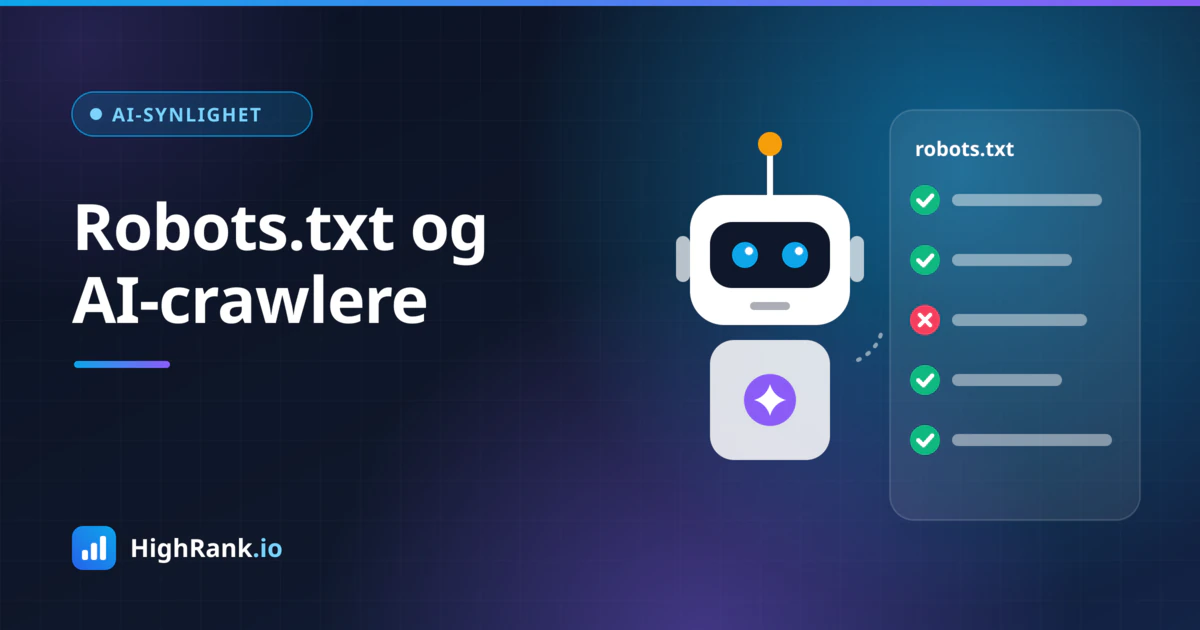
Robots.txt is a small text file in the root of your website that most business owners have never opened. Yet it decides which bots get to read your content. It used to be mostly about Googlebot and Bingbot. Today a whole line of AI crawlers is knocking on the door: GPTBot, OAI-SearchBot, PerplexityBot, ClaudeBot and more. Which of them you let in affects whether your business can appear in answers from ChatGPT, Perplexity and other AI services.
This article explains how robots.txt and sitemaps work, what separates the different AI crawlers, and which choices make sense for a typical small or medium-sized business.
What robots.txt does (and does not do)
Robots.txt always lives at the same address, for example yourdomain.com/robots.txt. The file consists of groups of rules. Each group starts with a line naming the bot it applies to (User-agent), followed by Disallow and Allow lines that tell that bot which paths it should or should not visit.
Three things are worth understanding:
- Following robots.txt is voluntary. Reputable operators such as Google, Microsoft, OpenAI, Anthropic and Perplexity state that their crawlers respect it, but the file is not a technical barrier. Anything that must stay private belongs behind a login, not behind a robots.txt rule.
- Disallow stops crawling, not necessarily indexing. Google can still show a blocked URL in search results if other pages link to it, just without a description.
- The most specific User-agent group wins. If you have a separate group for GPTBot, GPTBot follows that group and ignores the rules under the wildcard (User-agent: *).
If you want to keep a page out of Google, what you need is noindex, either as a meta tag in the HTML or as an X-Robots-Tag HTTP header. And here is a classic trap: if you block a page in robots.txt and also add noindex, Google cannot crawl the page and therefore never sees the noindex instruction. To remove a page from the index, it has to stay crawlable until Google has picked up the noindex.
Training crawlers versus search crawlers
The most important distinction when deciding on AI crawlers is what your content is used for. Broadly, there are two kinds:
- Training crawlers collect text used to train future language models. Blocking them keeps your content out of that company's future training data, but it does not directly send or cost you any traffic.
- Search and retrieval crawlers fetch content in real time to answer a specific user question, often with a link back to the source. Blocking them means you cannot be cited or linked in those answers.
For most businesses that want to be recommended by AI assistants, the search crawlers are the ones that matter most. They are what allow ChatGPT or Perplexity to find your opening hours, services and prices when someone asks today.
The AI crawlers you should know
Here are the most relevant user agents as of 2026. The names come from each operator's own documentation, which you should check periodically because the lists change.
- GPTBot (OpenAI): collects content that may be used to train OpenAI's models.
- OAI-SearchBot (OpenAI): powers search in ChatGPT, so your site can be shown and linked in results there.
- ChatGPT-User (OpenAI): used when a ChatGPT user, or an action in ChatGPT, asks to visit a specific page. This is a user-initiated fetch rather than traditional crawling.
- PerplexityBot (Perplexity): indexes pages so they can be surfaced and linked in Perplexity answers.
- ClaudeBot (Anthropic): collects content that may be used for model training. Anthropic also runs separate agents for search and user-initiated fetching.
- Google-Extended (Google): not a separate bot but a control token. Googlebot still does the crawling, but blocking Google-Extended opts your content out of being used to train and ground Gemini models. It does not affect your ranking in Google Search, and it does not control whether you appear in AI Overviews, which draw on Google's regular search index.
- Applebot-Extended (Apple): also a control token, governing whether content fetched by Applebot may be used to train Apple's generative models. Regular Applebot powers features such as Siri and Spotlight.
- CCBot (Common Crawl): builds an open web archive that has been widely used as training data for language models.
What should a typical business allow?
There is no single right answer, but for a typical business that sells services or products and wants to be found, this is a sensible starting point:
- Always allow Googlebot and Bingbot. Bing is also an important data source for several AI services.
- Allow the search crawlers OAI-SearchBot, ChatGPT-User and PerplexityBot so you can be cited and linked in AI answers.
- Make a deliberate decision about the training crawlers GPTBot, ClaudeBot, Google-Extended, Applebot-Extended and CCBot.
The training decision depends on what kind of content you publish. If your content is marketing material meant to make your business known, there is rarely much to lose by being included in training data; it may even help models recognise your brand. If your content is the product itself, such as paid articles, courses or unique datasets, you may have good reasons to opt out.
If, for example, you want to allow search but block training at OpenAI, the rules could look like this:
- User-agent: GPTBot
- Disallow: /
- User-agent: OAI-SearchBot
- Allow: /
In the actual file each line stands on its own without a leading dash, and separating groups with a blank line keeps things readable. Make sure you do not accidentally block everything with a broad rule under User-agent: *, which AI crawlers without their own group will fall back on.
Do not block CSS, JavaScript and images
A common mistake, often inherited from old themes or plugins, is blocking folders that contain stylesheets, scripts and images. Google renders pages much like a browser does and needs these files to understand layout, mobile-friendliness and content. Blocked resources can make Google see a broken or empty page. On WordPress sites you occasionally see all of wp-content or wp-includes blocked, which should be removed.
Instead, only block what genuinely has no value in search, such as internal search results, cart, checkout and login pages.
Sitemaps: the map you hand to bots
An XML sitemap lists the URLs you want search engines to know about, ideally with a last-modified date. It does not guarantee indexing, but it makes new and updated pages easier to discover.
Three simple steps make your sitemap more useful:
- Add a line to robots.txt pointing to it, for example Sitemap: https://yourdomain.com/sitemap.xml. It must be a full URL and applies to every crawler that reads the file.
- Submit the sitemap in Google Search Console and Bing Webmaster Tools to get reports on which pages are actually indexed.
- Only include pages that should be indexed and return status 200. Noindexed pages, redirects and 404s do not belong there.
Also make sure the last-modified date reflects real content changes. If every page always carries today's date, crawlers quickly learn that the signal cannot be trusted.
What about llms.txt?
You may have heard of llms.txt, a proposed markdown file meant to give language models a concise overview of a site with links to its most important content. It is a community proposal, not an adopted standard, and it is still unclear how much the major AI services actually use it. Creating one is unlikely to hurt, but it does not replace a clean robots.txt, a good sitemap and a site whose content is available as plain HTML.
A practical checklist
- Open yourdomain.com/robots.txt in your browser and read what it actually says.
- Check that important pages, CSS, JavaScript and images are not blocked.
- Decide which AI crawlers you want to allow and write explicit groups for them.
- Add the Sitemap line and confirm the sitemap only contains indexable pages.
- Test your changes with the robots.txt report in Google Search Console.
- Review the file after major site changes and at least once a year, since new crawlers keep appearing.
Robots.txt has gone from a technical detail to a strategic choice. Because training crawlers and search crawlers are separate, you can be restrictive with one and open to the other. For most businesses the priority is to avoid accidentally blocking search engines and AI search crawlers, and to give them a good sitemap to follow. If you want to see how your site actually looks to both Google and AI assistants, a free analysis on HighRank.io gives you an overview of what needs tidying up.