Core Web Vitals explained for non-developers
· Technical SEO · 6 min
LCP, INP and CLS sound technical, but they describe how your website feels to visitors. Here is what they mean, how to check them and what to ask your developer.
Core Web Vitals is one of those terms that shows up in SEO reports and agency emails but rarely gets explained in plain language. In short, it is Google's way of measuring how a web page feels to real visitors: how quickly the main content appears, how quickly the page responds when you tap something, and whether things jump around while it loads. You do not need to be a developer to understand this, and you do not need to fix it yourself. But you should know enough to read the report, ask the right questions and set the right priorities.
What Core Web Vitals measure
There are three metrics, and each one answers a simple question from the visitor's point of view.
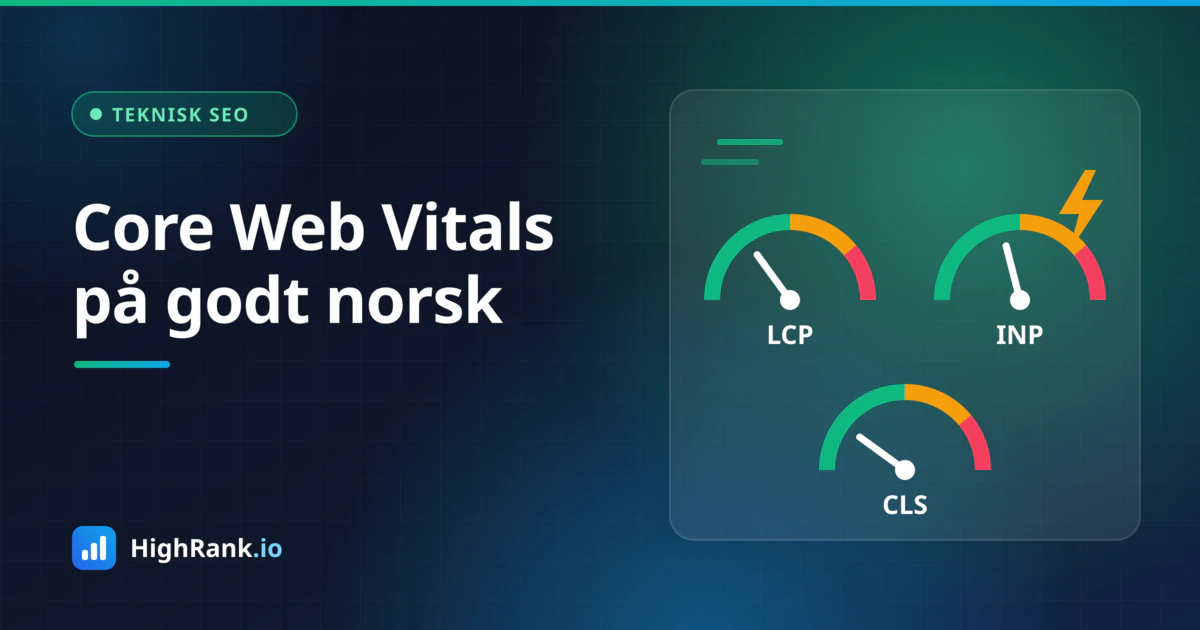
Largest Contentful Paint, or LCP, answers the question: when can I see the main content? It measures how long it takes for the largest visible element on the screen to finish loading. That is often a large hero image, a video or a big headline. Google considers an LCP of 2.5 seconds or less to be good.
Interaction to Next Paint, or INP, answers the question: does the page respond when I do something? It measures the time from when you click, tap or type until the page shows a visible reaction. INP replaced the older First Input Delay metric in March 2024 and looks at responsiveness throughout the whole visit, not just the first interaction. Good is 200 milliseconds or less.
Cumulative Layout Shift, or CLS, answers the question: does the page stay still? It measures how much content moves unexpectedly while the page loads. You know the feeling: you are about to tap a link, a banner appears, everything shifts down and you tap something else. Good is a score of 0.1 or lower.
To pass, a page needs to meet these thresholds for at least 75 percent of visits, measured over time. So it is not enough for the page to be fast on your own office computer. It has to be fast for most people, including those on an older phone with a weak connection.
Field data versus lab data
When you test a page, you will often see two kinds of numbers, and this is where many people get confused.
- Field data comes from real users who visited the page in Chrome, collected over the previous 28 days. This is what Google uses when it assesses Core Web Vitals.
- Lab data comes from a simulated test run on the spot with a specific device and network speed. It is useful for finding causes and testing changes, but it is not the same as what your visitors actually experience.
Small websites with modest traffic often do not have enough visits for field data to exist for each individual page. In that case you will only see lab data, or field data for the domain as a whole. That is perfectly normal. Use lab tests as a tool for improvement, and keep an eye on field data over time where it is available.
How to check your website
You do not need to buy anything to get started. Google offers two free tools that cover most of what you need:
- PageSpeed Insights (pagespeed.web.dev): paste in an address to get field data where available, plus a lab test with specific suggestions. Test both mobile and desktop, but give mobile the most weight.
- Google Search Console: the Core Web Vitals report groups your pages into good, needs improvement and poor, based on field data. It is useful for spotting patterns, for example that all product pages share the same problem.
Test the pages that matter most to the business: the homepage, your key service pages, category and product pages, and the contact page. Write down the results so you have a baseline to compare against after changes are made. Keep in mind that field data updates gradually, so an improvement made today will not show fully for a few weeks.
Common causes and what helps
Most problems come down to a handful of well-known causes. Here are the most common ones, explained without jargon.
Slow LCP
- Oversized images. A hero image should be compressed, served in a modern format such as WebP or AVIF, and no larger than the screen needs.
- The hero image loads too late. The most important image at the top of the page should load with high priority and never be lazy loaded.
- A slow server or heavy setup. Budget hosting, lots of plugins and missing caching can mean the server takes a long time before anything is sent to the browser.
- Fonts and scripts that block the page from being displayed.
Poor INP
- Too much JavaScript. Chat widgets, tracking scripts, ad tools and heavy page builders all compete for the same processing power on the visitor's phone.
- Third-party scripts nobody uses anymore. Old tools often linger in the code long after the subscription was cancelled.
- Menus, filters and forms that do a lot of work every time the user taps.
High CLS
- Images and videos without specified width and height, so the browser does not know how much space to reserve.
- Cookie banners, promo bars and ads that appear above the content and push it down.
- Web fonts that load late and change the size of the text.
What to ask your developer or agency
You do not need to know how to fix all of this technically. But good questions make it easier to get the right help and to judge whether the job has been done:
- Which of the three metrics is weakest for us, and on which page types?
- What is the LCP element on the homepage, and how is it loaded?
- Which third-party scripts run on the site, and do we need all of them?
- Do images and ads have reserved space so the content does not jump?
- How will we confirm that field data actually improves after the changes?
Ask for improvements to be measured before and after, with the field data in Search Console as the target rather than just a high score in a lab test. A score of 100 in PageSpeed Insights is nice, but it is not what Google uses.
How much does this matter for rankings?
Core Web Vitals are part of what Google calls page experience and are used by its ranking systems. At the same time, Google has been clear that relevant, helpful content matters most. A fast page with weak content will not beat a slightly slower page that answers the searcher's question far better. Think of Core Web Vitals as a foundation: not something that lifts you to the top on its own, but something that can hold you back if it is poor, especially when competing pages are otherwise similar.
The biggest payoff comes from your visitors anyway. A page that loads quickly and behaves predictably is easier to use, and that shows up in enquiries and sales.
Summary
Core Web Vitals come down to three things: the main content appears quickly, the page responds quickly, and nothing jumps around. Check your most important pages in PageSpeed Insights and Search Console, tackle the usual suspects such as heavy images, unnecessary scripts and missing space reservations, and follow up over time. If you want a combined view of technical health, Google visibility and how your business appears in AI assistants, you can run a free analysis with HighRank.io.